Your business miles, logged automatically.
Tripvia turns every drive into a compliant trip log book — tracked by GPS, drawn on a map, and exported to PDF or CSV. Your data is encrypted on the way and on our servers. All you need is your phone: no extra device in the car.
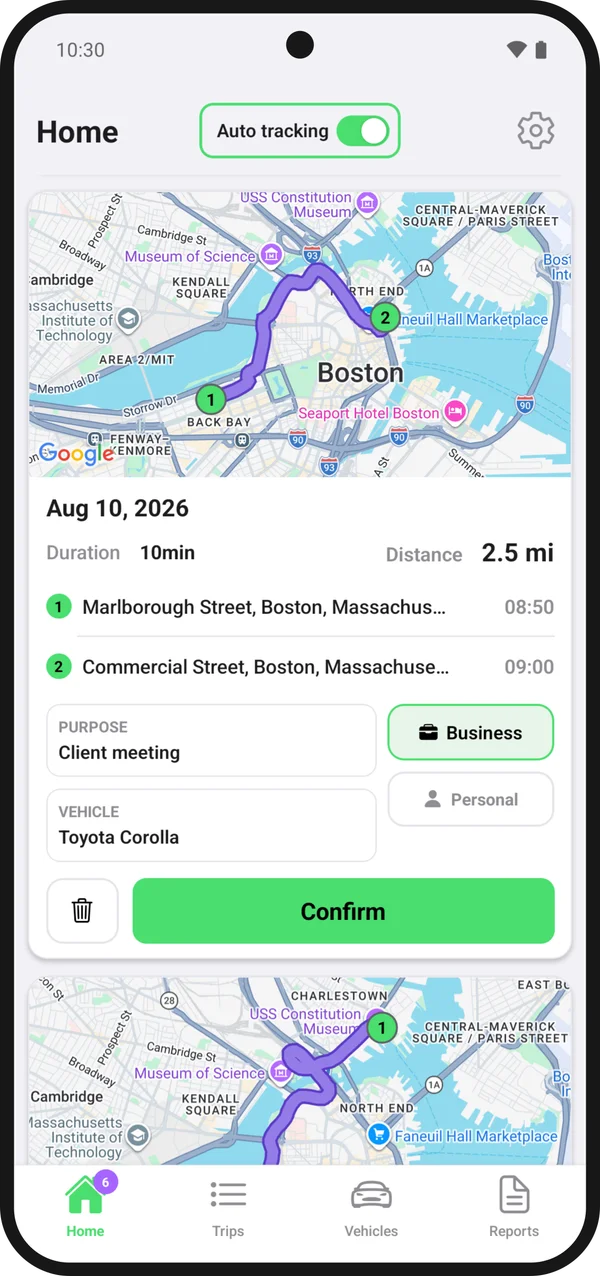
From drive to done in three steps
Tripvia does the tracking, mapping, and paperwork for you — no manual logging required.
- 1
Track
Just drive. Tripvia detects each trip in the background and records the start, route, and distance.
- 2
Review
Swipe to mark a trip as business or personal, then add a purpose or note. It takes seconds.
- 3
Report
Generate a PDF or CSV log book for any date range — ready for reimbursement, accounting, or the tax office.
Everything you need for a compliant log book
From automatic tracking to one-tap reports — Tripvia handles the busywork so your mileage records are always accurate and audit-ready.
Automatic trip detection
Tripvia runs quietly in the background and detects when a drive starts and ends — no button to press, no trip forgotten, even without signal.
- Battery-friendly background GPS
- Start, stop, and route captured automatically
- Works offline and syncs once you're back online
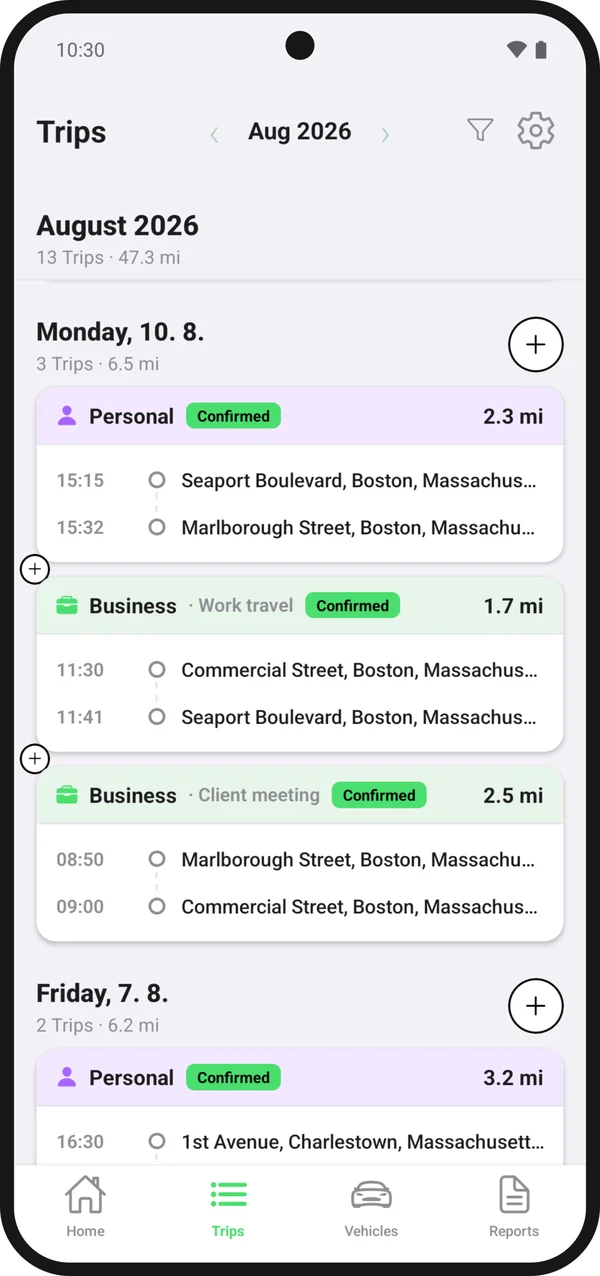
Missing a trip? Add it by hand.
Forgot your phone, or drove before you installed Tripvia? Type the start and destination: Tripvia autocompletes the addresses and works out the distance.
- Address autocomplete as you type
- Distance calculated for you
- Edit any trip later and see its route on the map
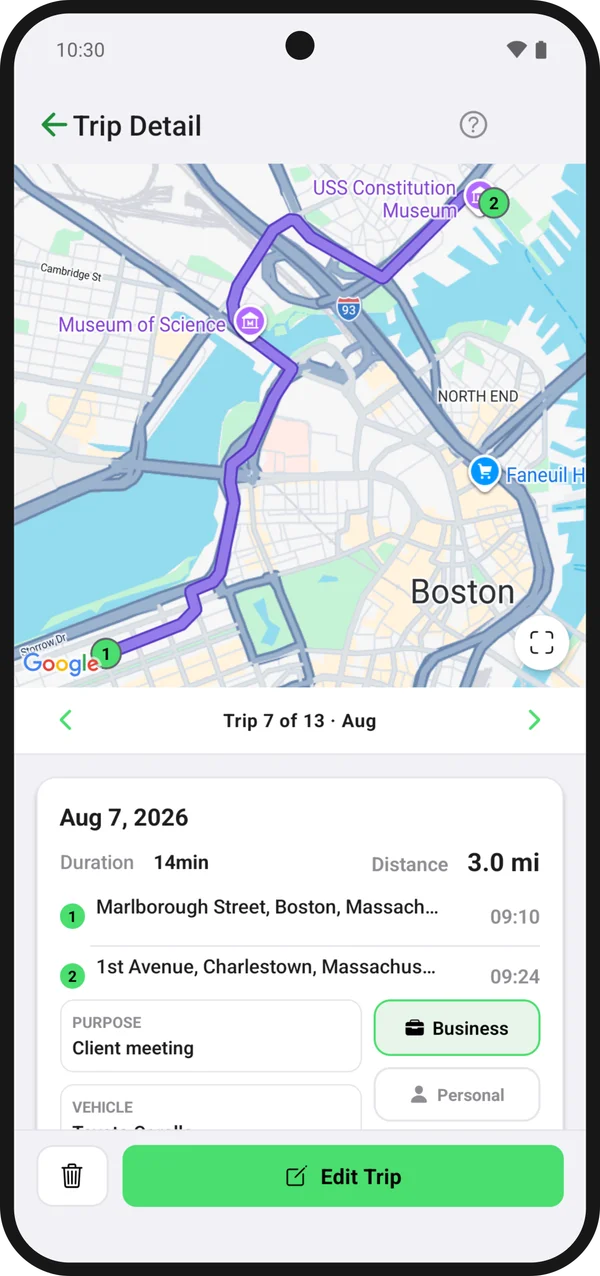
PDF & CSV reports
Generate a clean, official-format trip log book for any period — ready for reimbursement, accounting, or the tax office.
- Official trip log book layout
- Export to PDF or CSV in one tap
- Filter by date range, vehicle, or purpose
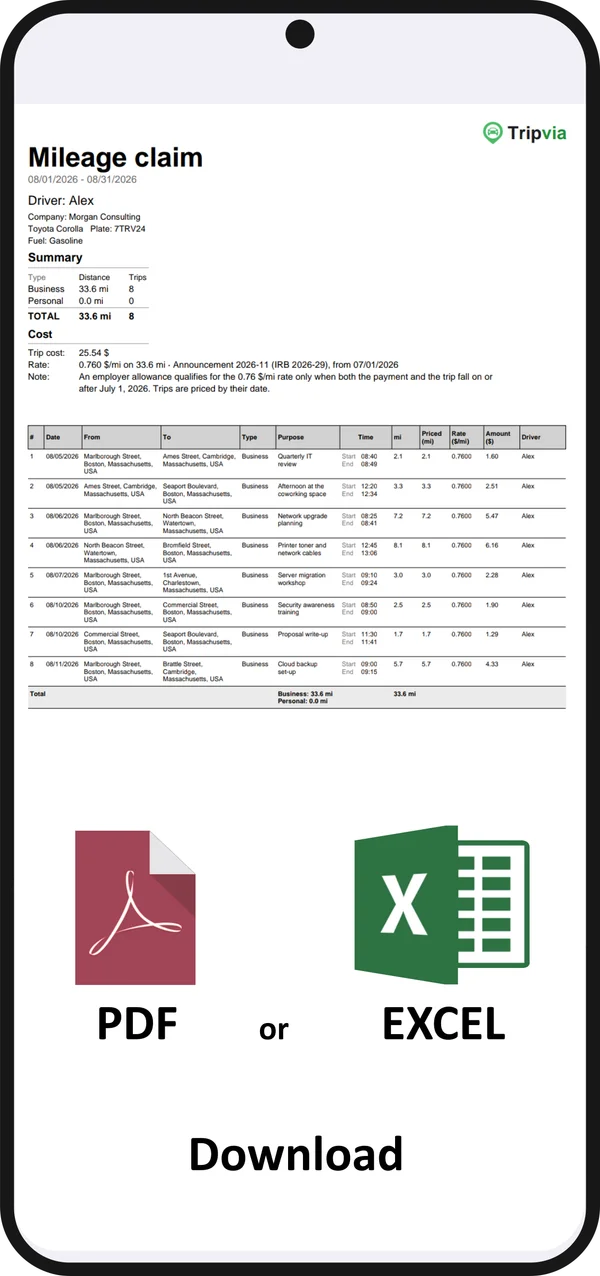
Google Timeline import
Just getting started? Import your Google Timeline history and turn months of past drives into log book entries in minutes.
Multi-vehicle & odometer
Manage several cars in one place and keep odometer readings up to date for accurate, audit-ready records.
Private and encrypted
Your data is encrypted on its way to our servers and while it is stored there. Your sign-in on the phone is encrypted too. There are no ads, and your data is never sold.
Have a team on the road?
Create an organization, invite your drivers with a code, and keep everyone's trips on one invoice.
Company
Up to 5 users and 7 vehicles
Company +
Up to 10 users and 15 vehicles
Start your trip log book today
Download Tripvia and turn every drive into an accurate, reimbursement-ready record. Free to start — no credit card needed.
 Tripvia